


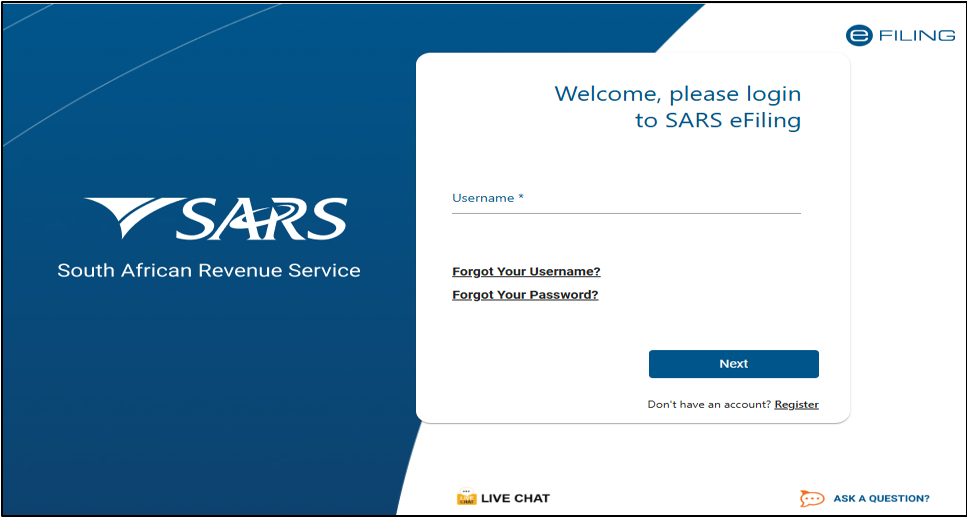
Filing your tax return has become much simpler for many South Africans, thanks to the South African Revenue Service‘s (SARS) Auto Assessment process.
The system allows qualifying taxpayers to avoid completing and submitting a tax return themselves, as SARS calculates the assessment using information already received from third parties.
Related Articles:
- How Long Does SARS Take to Pay a Tax Refund?
- SARS Opens 2026 Tax Filing Season: Key Dates Taxpayers Should Know
- SARS Confirms Auto-Assessment Dates for 2026 Tax Season
- SARS Tax Season 2026 Dates Confirmed: Key Filing Deadlines
What is a SARS Auto Assessment?
A SARS Auto Assessment is when SARS prepares your tax assessment on your behalf using information received from:
- Your employer
- Banks
- Medical schemes
- Retirement funds
- Insurers
If all the information is complete and accurate, you may not need to submit an Income Tax Return (ITR12).
How will you know if you’ve been selected?
If you qualify for Auto Assessment, SARS will send you an SMS or email between 1 and 12 July 2026.
The notification will tell you whether:
- You are due a tax refund.
- You have an amount owing to SARS.
How to check your Auto Assessment status
You can check your status by visiting the SARS Online Query System (SOQS) and selecting “My Auto Assessment Status”.
SARS advises taxpayers to wait until they receive their SMS or email between 1 and 12 July 2026 before logging into eFiling to check their assessment.
What if you are not auto-assessed?
If you do not receive an Auto Assessment notification by 12 July 2026, you will need to submit your own tax return.
From 13 July 2026, you must:
- Complete your Personal Income Tax Return (ITR12).
- Submit it using SARS eFiling or the SARS MobiApp.
- File before the applicable Filing Season deadline.
What should you do if you receive an Auto Assessment?
Step 1: Review your assessment
Log in to:
- SARS eFiling, or
- SARS MobiApp
Check that all the information is complete and accurate.
Step 2: If everything is correct
If all the information is accurate:
- No further action is required.
- You do not need to submit an ITR12.
Step 3: If information is incorrect
If any information is missing or incorrect:
- Review your assessment carefully.
- Add or correct the necessary information.
- Submit your updated ITR12 using SARS eFiling or the SARS MobiApp.
Although Auto Assessment makes tax season much easier, taxpayers should always review their assessment before accepting the outcome to ensure all information is correct.







Related Articles
Petrol price could reach R30 a litre in October 2026
South African motorists could face petrol price increases of up to R3...
Clicks Group to take control of ARC Store in R507 million deal
Clicks Group is set to increase its stake in premium beauty retailer...

Petrol price could near R30 a litre in October as fuel projections worsen
South African motorists could face another major fuel price increase in October,...


Petrol price warning: South Africans face R2-plus hike and record prices in October
South African motorists are facing a brutal October at the pumps, with...
